downbeat




Stop copy-pasting between AI terminals. downbeat is a local, human-in-the-loop message bus for coordinating parallel AI coding-agent sessions on one machine — register a few peers, hand off tasks, and read replies back, all through a filesystem-backed broker + TUI + CLI + skill. Nothing happens without you: every watcher notifies, nothing auto-executes on the parent side, and a child only acts because you told it to at registration time.
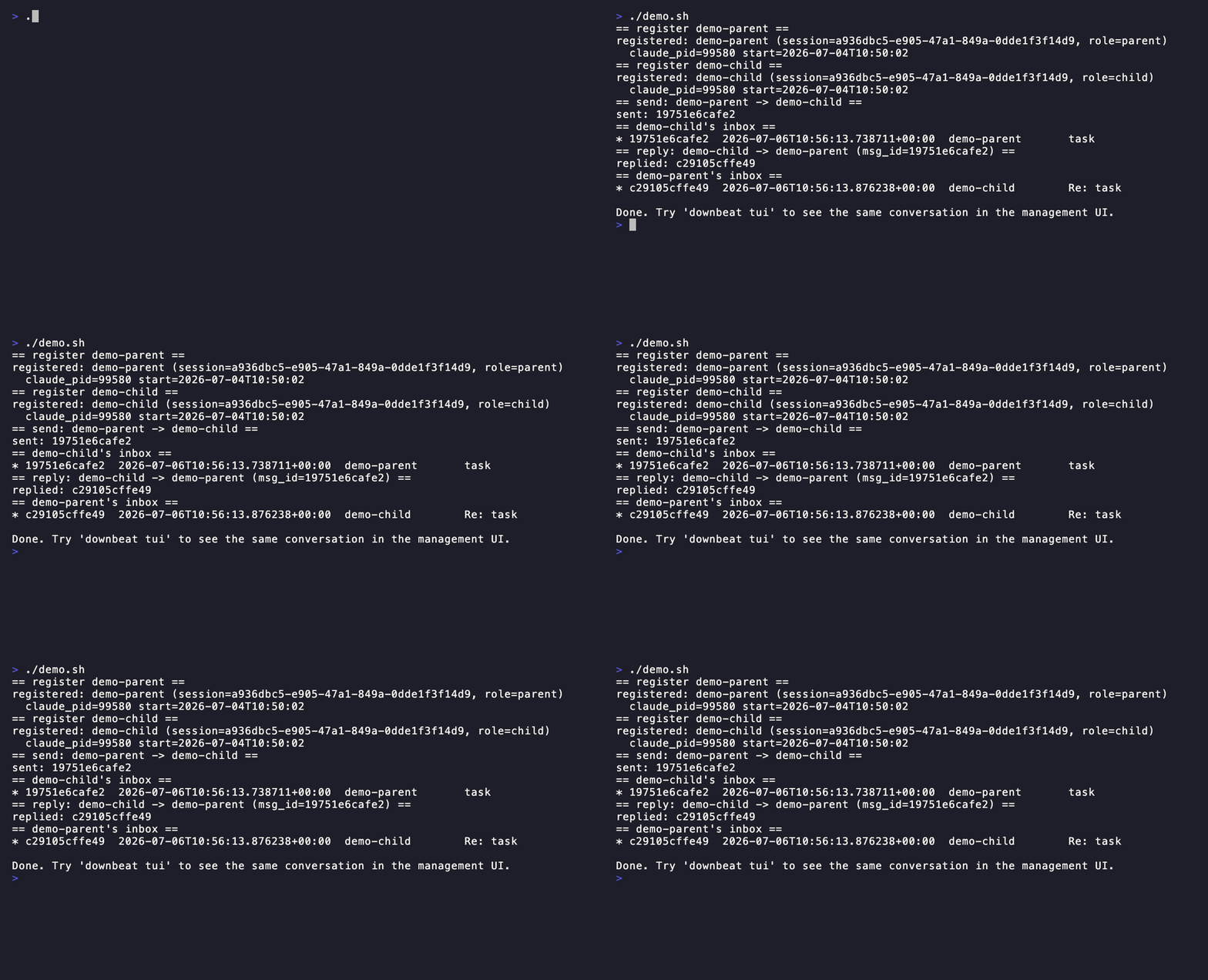
Want to see it before installing? examples/parent-child-handoff/
is a five-command walkthrough of the whole loop (this GIF is demo.sh from that
directory, recorded verbatim with VHS).
Install
uv tool install downbeat     # or: pipx install downbeat
downbeat init                # one command installs the WHOLE runtime
downbeat init is the single source of truth for the entire relay runtime. It:
- bootstraps
~/.claude/relay/data dirs and migrates legacy messages, - installs the skill →
~/.claude/skills/downbeat/, - writes the
relay.pyshim →~/.claude/relay/relay.py, - installs the bundled hooks (
relay-inbox.py,relay-poll-offer.py,relay-resume-check.py) →~/.claude/hooks/(chmod +x), - installs the bundled slash commands (
relay-register/send/reply/peers/monitor.md) →~/.claude/commands/, - registers the relay hooks in
~/.claude/settings.json(idempotent, backed up, atomic).
It is safe to re-run: content-equal files are left as-is, already-registered hooks are
skipped, and a hook that differs from the bundled copy is kept (your local edit
wins) unless you pass --force. settings.json edits never clobber non-relay hooks
sharing the same event/matcher.
downbeat also ships as a native Claude Code plugin — an optional,
Claude-Code-only fast path alongside init's hand-merge, not a replacement
for it:
claude plugin marketplace add FreddieMcHeart/downbeat
claude plugin install downbeat@downbeat
See docs/plugin.md for how the two install paths coexist
(and what to do if you ran init before installing the plugin).
Use
downbeat register parent --role parent
downbeat register child  --role child
downbeat send child "task" "do the thing"
downbeat inbox --peer child
downbeat reply <msg_id> "done"
downbeat tui                 # full management UI
kind is an open string: task (default for all normal messages) and backflow-ready
(structured RLM findings from a child — see the downbeat skill). Future kinds
(workflow-request, workflow-result) are planned for Phase 3.
Automatic idle-recipient notify
No manual step needed. If the TUI (downbeat tui) is open, its resident
event-driven watcher (watchdog FSEvents/inotify) fires a native OS
notification the moment mail arrives for a peer that's been idle for more
than 10 minutes. If the TUI isn't open, a Claude Code session
sending/replying to an idle peer gets the same native notification from
its own hook, independent of the TUI. Either way: notify-only, never
drains/acks/acts.
Background inbox polling
The first time you invoke a relay action in a Claude Code session, the skill
offers to start a 3-minute inbox poll via /loop. Accept to get notified of
incoming messages without having to manually check.
Continuous self-monitoring (/relay-monitor)
In a registered Claude Code session, run the /relay-monitor slash command to make that
session continuously pull its own inbox and act on new messages:
/relay-monitor          # start monitoring, default 3-minute interval
/relay-monitor 5m       # custom interval
/relay-monitor stop     # stop
Behaviour is role-asymmetric:
- child session: auto-executes arriving tasks per its role briefing and replies with results (consent-at-startup autonomy).
- parent session: surfaces new messages concisely and asks the human how to handle each; never auto-executes.
Before starting the monitor, check your identity with:
downbeat whoami          # prints: <name> <role>
downbeat whoami --json   # prints: {"name": "...", "role": "..."}
Automatic notify vs /relay-monitor — key distinction:
| Automatic idle-notify | /relay-monitor |
|
|---|---|---|
| Runs as | TUI's resident watcher, or a Claude Code hook — no separate process to start | in-session /loop |
| Does | fires a native OS notification (human reads it, decides what to do) | session pulls mail into its own context + acts per role |
| Acts? | never | child: yes (autonomous); parent: no (surfaces) |
| Idle cost | ~0 (event-driven when TUI open; hook-adjacent cadence otherwise) | a model turn every interval |
| Use when | you want a nudge, not automation | a session should self-drive on its inbox |
Both are complementary and can run at the same time.
TUI keybindings
| Key | Action |
|---|---|
| Tab/Shift+Tab | Cycle focus: Messages → Composer |
| s | Switch acting-as parent |
| a | Toggle archived history (chat view, 📥 inbox tab) |
| c | Clear inbox — archive this peer's backlog → processed/ (chat view, 📥 inbox tab) |
| Left/Right | Prev / next group member |
| Up/Down | Within focused region (messages, composer) |
| Enter | Send (in composer) / Open message detail (in message list) |
| Escape / q | Back (in message detail) |
| e | Edit (in message detail, only NEW) |
| r | Reply (in message detail) |
| d | Delete with confirm (in message detail) |
| Shift+B | Broadcast status (in message detail, when applicable) |
| y | Yank (copy) message body to clipboard (chat view and message detail) |
| c | Copy message id to clipboard (in message detail) |
| Up/k, Down/j | Scroll up / down in message detail |
| Ctrl+B / PgUp | Page up in message detail (Fn+↑ alias) |
| Ctrl+F / PgDn | Page down in message detail (Fn+↓ alias) |
| g / Home | Top of message detail (Fn+← alias) |
| G / End | Bottom of message detail (Fn+→ alias) |
| Ctrl+P | Peers screen (add / remove / gc) |
| f | Find message by id |
| ? / F1 | Help |
| Ctrl+R | Refresh |
| Ctrl+L / F6 | Toggle log viewer |
| q | Quit |
Uninstall
downbeat uninstall    # removes skill + shim + hooks + commands + relay
                          # settings.json regs; leaves data + backups in ~/.claude/relay
Layout
- Source:
src/downbeat/{core,cli,tui,skill} - Bundled runtime assets:
src/downbeat/assets/{hooks/,commands/,hooks_manifest.json} - Tests:
tests/ - Examples:
examples/ - Roadmap:
ROADMAP.md— where downbeat is headed - Docs site: freddiemcheart.github.io/downbeat (source)
- State:
~/.claude/relay/{sessions.json, inbox/, processed/, logs/, groups.json}